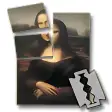
Create posters out of your favorite pictures
Not everybody has a plotter at home, so if you want to print large-sized posters in your humble A4 printer, your best option is Posterazor.
This open-source tool splits up any image into several sheets of paper, enabling you to print them out and then build a poster as large as you want it to be. Just bear in mind that you should use high definition photos, because otherwise you'll get a nice pixelated design instead of a huge attractive poster to pin up on your bedroom's walls. The good thing is that Posterazor supports a really wide variety of image formats.
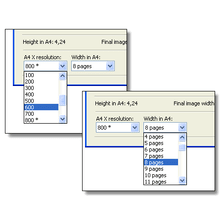
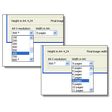
Posterazor works as a wizard, guiding you through five simple steps in order to create your poster. Though this is probably the easiest way to go for novice users, I missed having a somewhat more advanced interface with other extra options such as frames and borders, some guiding lines to cut out the image or the possibility to add a text layer or even apply a watermark, like in Posteriza (why do they all have similar names?).
The final poster is created in PDF format, so you'll need a PDF reader in order to open the file and print it. I personally recommend Foxit Reader but any other will do the trick. And I must say the results were gorgeous!
Despite lacking some advanced features, its ease of use and support for a wide array of image formats make of Posterazor a great tool for printing large posters.





















User reviews about PosteRazor
by Upasana Bobby
Good application indeed. Unable to put crop marks. Yet to use for bigger size posters like 30 Feet X 20 Feet etc.